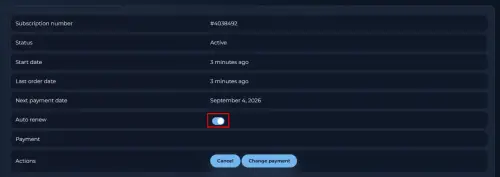
How to cancel (stop paying for the) app license:
We are sorry to see you go. Please follow the instructions below to cancel your license. You can resume your license at any time by clicking the Upgrade button when you are ready to use the app again.
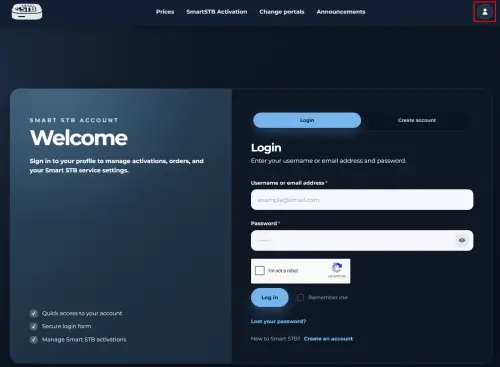
- You need to go to our site and locate and click on "My Account" icon and then login on our website if you are not logged.
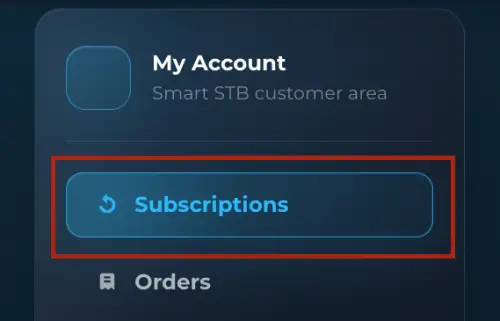
- Open my Subscriptions
- Select the app License you want to cancel (only monthly or yearly licenses, lifetime license is valid forever).
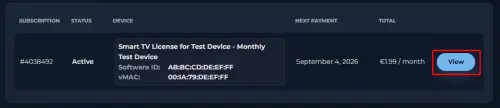
(Picture above is an example, and not a real device)
- Click on the Cancel button and follow the on-screen instructions (varies by region).
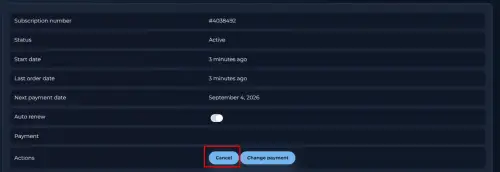
Please note that if Cancel button does not exist, it means that the app is pre-paid (or there is only pre-paid option in your region) and will cancel automatically on the Expire Date. As per our TOS this is an effective cancellation, however you can resume at any time.
- If you want to disable the Auto-renew option, you need to click on "Auto-renew" button.